
![Pinchflat]() Pinchflat
Pinchflat
Stack
Your next YouTube media manager
Image details
Source details
Configuration
TypeComposelinuxghcr.io/kieraneglin/pinchflat:latest8945:8945/config : /portainer/Files/AppData/Config/pinchflat/downloads : /portainer/Files/AppData/Config/pinchflat/downloadsTZ=Europe/AthensStandalone Install
Select an install method, to see config/commands for deploying Pinchflat
Install on Portainer
Import all app templates into your Portainer instance, for easy 1-click deploys
- Ensure both Docker and Portainer are installed, and up-to-date
- Log into your Portainer web UI
- Under Settings → App Templates, paste the below URL
- Head to Home → App Templates, and the list of apps will show up
- Select Pinchflat, fill in any config options, and hit Deploy
Template Import URL
https://raw.githubusercontent.com/Lissy93/portainer-templates/main/templates.json
Show Me

Original stackfile
The compose file this template deploys, straight from its repo:
version: '3'
services:
  pinchflat:
    image: ghcr.io/kieraneglin/pinchflat:latest
    environment:
      # Set the timezone to your local timezone
      - TZ=Europe/Athens
    ports:
      - '8945:8945'
    volumes:
      - /portainer/Files/AppData/Config/pinchflat:/config
      - /portainer/Files/AppData/Config/pinchflat/downloads:/downloads
Or deploy it directly from the source:
git clone https://github.com/xneo1/portainer_templates
cd portainer_templates
docker compose -f Template/Stack/pinchflat.yml up -d
More install options in our documentation, or see kieraneglin/pinchflat for app-specific guidance.
!IMPORTANT
(2025-02-14) zakkarry, who is a collaborator on cross-seed and an extremely helpful community member in general, is facing hard times due to medical debt and family illness. If you're able, please consider sponsoring him on GitHub or donating via buymeacoffee. Tell him I sent you!
src="https://raw.githubusercontent.com/kieraneglin/pinchflat/HEAD/priv/static/images/originals/logo-white-wordmark-with-background.png"
alt="Pinchflat Logo by @hernandito"
width="700"
/>
<em>logo by <a href="https://github.com/hernandito" target="_blank">@hernandito</a></em>





Your next YouTube media manager
Table of contents:
- Unraid - Portainer - Docker - Environment Variables - A note on reverse proxies- Username and Password (authentication)
- Frequently asked questions
- Documentation
- EFF donations
- Pre-release disclaimer
- Development and Contributing
What it does
Pinchflat is a self-hosted app for downloading YouTube content built using yt-dlp. It's designed to be lightweight, self-contained, and easy to use. You set up rules for how to download content from YouTube channels or playlists and it'll do the rest, periodically checking for new content. It's perfect for people who want to download content for use in with a media center app (Plex, Jellyfin, Kodi) or for those who want to archive media!While you can download individual videos, Pinchflat is best suited for downloading content from channels or playlists. It's also not meant for consuming content in-app - Pinchflat downloads content to disk where you can then watch it with a media center app or VLC.
If it doesn't work for your use case, please make a feature request! You can also check out these great alternatives: Tube Archivist, ytdl-sub, and TubeSync
Features
- Self-contained - just one Docker container with no external dependencies
- Powerful naming system so content is stored where and how you want it
- Easy-to-use web interface with presets to get you started right away
- First-class support for media center apps like Plex, Jellyfin, and Kodi (docs)
- Supports serving RSS feeds to your favourite podcast app (docs)
- Automatically downloads new content from channels and playlists
- Supports downloading audio content
- Custom rules for handling YouTube Shorts and livestreams
- Apprise support for notifications
- Allows automatically redownloading new media after a set period
- Optionally automatically delete old content (docs)
- Advanced options like setting cutoff dates and filtering by title (docs)
- Reliable hands-off operation
- Can pass cookies to YouTube to download your private playlists (docs)
- Sponsorblock integration
- \[Advanced\] allows custom
yt-dlpoptions (docs) - \[Advanced\] supports running custom scripts when after downloading/deleting media (alpha - docs)
Screenshots
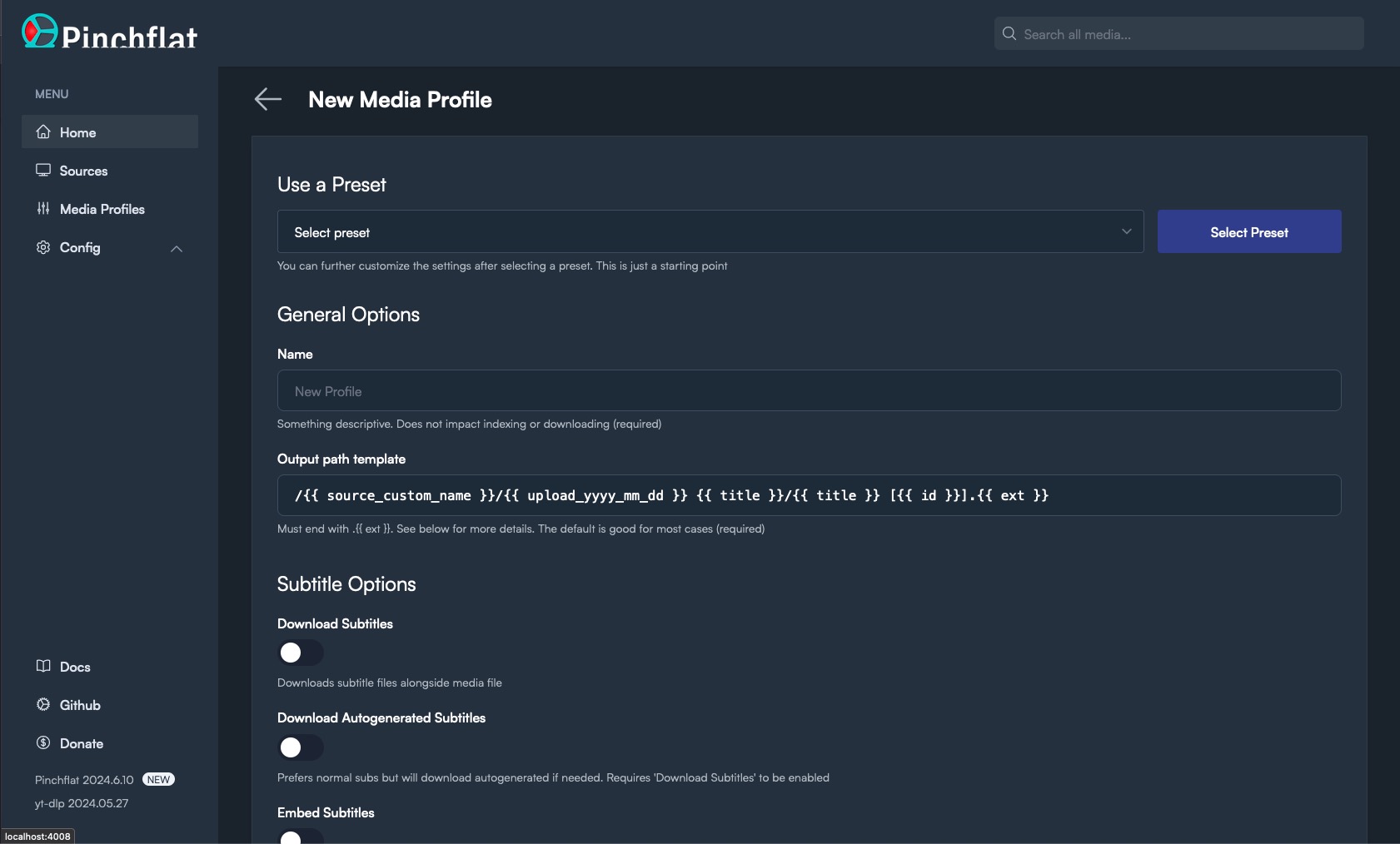
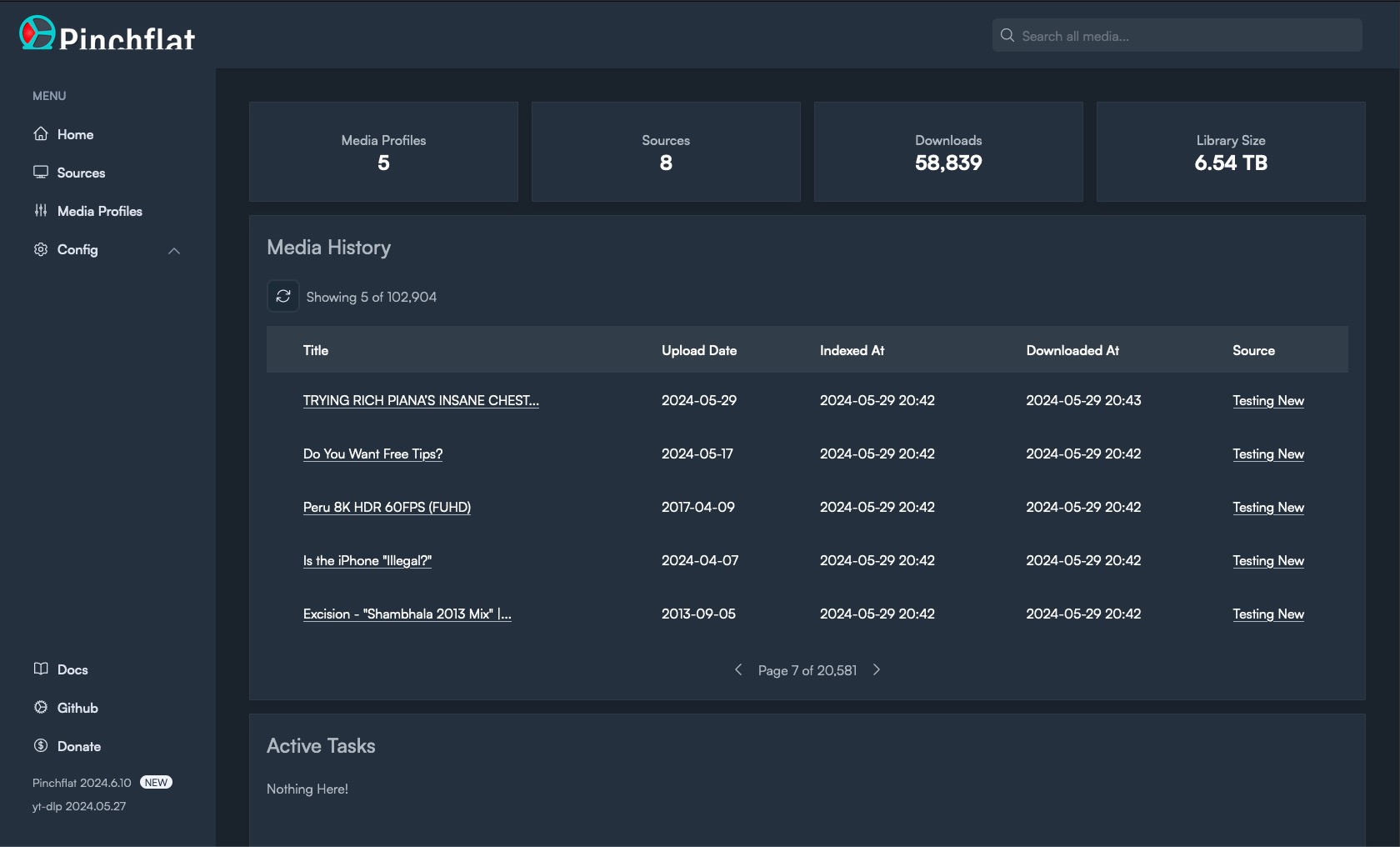
Installation
Unraid
Simply search for Pinchflat in the Community Apps store!Portainer
!IMPORTANT
See the note below about storing config on a network file share. It's preferred to store the config on a local disk if at all possible.
Docker Compose file:
version: '3'
services:
  pinchflat:
    image: ghcr.io/kieraneglin/pinchflat:latest
    environment:
      # Set the timezone to your local timezone
      - TZ=America/New_York
    ports:
      - '8945:8945'
    volumes:
      - /host/path/to/config:/config
      - /host/path/to/downloads:/downloads
Docker
- Create two directories on your host machine: one for storing config and one for storing downloaded media. Make sure they're both writable by the user running the Docker container.
- Prepare the docker image in one of the two ways below:
- **From GHCR:** `docker pull ghcr.io/kieraneglin/pinchflat:latest`
  - NOTE: also available on Docker Hub at `keglin/pinchflat:latest`
- **Building locally:** `docker build . --file docker/selfhosted.Dockerfile -t ghcr.io/kieraneglin/pinchflat:latest`- Run the container:
# Be sure to replace /host/path/to/config and /host/path/to/downloads below with
# the paths to the directories you created in step 1
# Be sure to replace America/New_York with your local timezone
docker run \
  -e TZ=America/New_York \
  -p 8945:8945 \
  -v /host/path/to/config:/config \
  -v /host/path/to/downloads:/downloads \
  ghcr.io/kieraneglin/pinchflat:latest
Podman
The Podman setup is similar to Docker but changes a few flags to run under a User Namespace instead of root. To run Pinchflat under Podman and use the current user's UID/GID for file access run this:podman run \
--security-opt label=disable \
--userns=keep-id --user=$UID \
-e TZ=America/Los_Angeles \
-p 8945:8945 \
-v /host/path/to/config:/config:rw \
-v /host/path/to/downloads/:/downloads:rw \
ghcr.io/kieraneglin/pinchflat:latestUsing this setup consider creating a new
pinchflat user and giving that user ownership to the config and download directory. See Podman --userns docs.IMPORTANT: File permissions
You must ensure the host directories you've mounted are writable by the user running the Docker container. If you get a permission error follow the steps it suggests. See #106 for more.!IMPORTANT It's not recommended to run the container as root. Doing so can create permission issues if other apps need to work with the downloaded media.
ADVANCED: Storing Pinchflat config directory on a network share
As pointed out in #137, SQLite doesn't like being run in WAL mode on network shares. If you're running Pinchflat on a network share, you can disable WAL mode by setting theJOURNAL_MODE environment variable to delete. This will make Pinchflat run in rollback journal mode which is less performant but should work on network shares.!CAUTION
Changing this setting from WAL to delete on an existing Pinchflat instance could, conceivably, result in data loss. Only change this setting if you know what you're doing, why this is important, and are okay with possible data loss or DB corruption. Backup your database first!If you change this setting and it works well for you, please leave a comment on #137! Doubly so if it does not work well.
Environment variables
| Name | Required? | Default | Notes |
|---|---|---|---|
TZ | No | UTC | Must follow IANA TZ format |
LOGLEVEL | No | debug | Can be set to info but debug is strongly recommended |
UMASK | No | 022 | Unraid users may want to set this to 000 |
BASICAUTHUSERNAME | No | See authentication docs | |
BASICAUTHPASSWORD | No | See authentication docs | |
EXPOSEFEEDENDPOINTS | No | false | See RSS feed docs |
ENABLEIPV6 | No | false | Setting to any non-blank value will enable IPv6 |
JOURNALMODE | No | wal | Set to delete if your config directory is stored on a network share (not recommended) |
TZDATADIR | No | /etc/elixirtzdatadata | The container path where the timezone database is stored |
BASEROUTEPATH | No | / | The base path for route generation. Useful when running behind certain reverse proxies - prefixes must be stripped. |
YTDLPWORKERCONCURRENCY | No | 2 | The number of concurrent workers that use yt-dlp per queue. Set to 1 if you're getting IP limited, otherwise don't touch it |
ENABLEPROMETHEUS | No | false | Setting to any non-blank value will enable Prometheus. See docs |
Reverse Proxies
Pinchflat makes heavy use of websockets for real-time updates. If you're running Pinchflat behind a reverse proxy then you'll need to make sure it's configured to support websockets.EFF donations
Prior to 2024-05-10, a portion of all donations were given to the Electronic Frontier Foundation. Now, the app doesn't accept donations that go to me personally and instead directs you straight to the EFF. Here are some people that have generously donated.The EFF defends your online liberties and backed
youtube-dl when Google took them down.Stability disclaimer
This software is in active development and anything can break at any time. I make no guarantees about the stability of this software, forward-compatibility of updates, or integrity (both related to and independent of Pinchflat).License
SeeLICENSE fileServe Pinchflat on your own domain behind Caddy, Nginx or Traefik. Fill in your domain and copy the result. It's a starting point, some apps need their own base URL or extra headers set too.
Proxying pinchflat.example.com to http://pinchflat:8945
Add this to your Caddyfile
pinchflat.example.com {
	reverse_proxy http://pinchflat:8945
}Check the logs first
Nine times out of ten the logs tell you exactly what went wrong.
- In Portainer, go to Containers, click the container, then Logs. Or run
docker logs <container> - Exit codes help too:
137means killed, usually out of memory.126or127means the command inside the image is broken.
Port already in use
If deployment fails with "Bind for 0.0.0.0:8945 failed: port is already allocated", something else on your server is using that port.
- Find what's using it:
sudo ss -tlnp | grep :8945 - Stop the other service, or pick a different host port. In
8945:8945only the left number is yours to change, the right one belongs to the app.
Running but the page won't load
The container is up but nothing appears in your browser.
- Use your server's real IP:
http://your-server-ip:8945. The 0.0.0.0 link Portainer shows isn't a real address. - Give it a minute after first deploy, pinchflat can take a while to initialise.
- Make sure your firewall allows the port, e.g.
sudo ufw allow 8945
Permission denied on volumes
If the logs show "permission denied", the app can't write to its data folder on the host.
- Fix the ownership:
sudo chown -R 1000:1000 /portainer/Files/AppData/Config/pinchflat(and the same for the other mapped folders)
Image won't pull
Test the pull directly on the host: docker pull ghcr.io/kieraneglin/pinchflat:latest
- "manifest unknown" means the tag no longer exists. This template uses
latest, so try pinning a specific version instead. - "toomanyrequests" is the Docker Hub rate limit. Log in with
docker loginto raise it. - "no space left on device" means a full disk. Reclaim space with
docker system prune
"exec format error"
This means the image was built for a different CPU architecture than your server.
- This image supports:
amd64 - Check yours with
uname -m: x86_64 is amd64, aarch64 is arm64. Raspberry Pi and other ARM boards are the usual culprits.
Stack won't deploy
Compose stacks fail fast on small mistakes, and Portainer shows the reason just above the editor.
- YAML only accepts spaces for indentation, a single tab breaks the whole file.
Raise an issue
Found something which isn't working as it should? Here's how to report it.
- Bug within the app: Open an issue on kieraneglin/pinchflat
- Template not working: Open an issue on xneo1/portainer_templates
- This website not working: Open an issue on lissy93/portainer-templates
A Compose stack
Pinchflat is a Compose stack, a set of containers defined in one file and brought up together by Portainer, then started and stopped as a single app.
The app image
An image is the app packed up ready to go, everything Pinchflat needs bundled into one download. This template pulls ghcr.io/kieraneglin/pinchflat:latest, which Docker fetches once (about 370 MB) and then starts your own copy from.
Where the image comes from
Docker pulls its images from registries, public libraries of ready-built apps. Pinchflat's comes from the GitHub Container Registry, published by kieraneglin.
Version tags
The bit after the colon in the image name is the version tag. Here it's latest, which always points at the newest build, so a redeploy can bump you to a newer release without you asking. Pin a specific tag if you would rather stay on one version.
Which machines it runs on
Every image is built for particular CPU types. This one ships for amd64, so it runs on regular x86 PCs and servers, though not ARM boards like a Raspberry Pi.
Ports
A port is the door the app answers on. A mapping like 8945:8945 means it's reachable on port 8945 of your server, where the left number is yours to change and the right one belongs to the app. It opens:
8945:8945
Volumes
A volume is where Pinchflat keeps its files so they survive an update or a restart. Without one, anything it saves would sit inside the container and vanish the moment it's recreated. This template mounts:
/configfrom/portainer/Files/AppData/Config/pinchflaton the host/downloadsfrom/portainer/Files/AppData/Config/pinchflat/downloadson the host
Environment variables
Environment variables are the settings you hand over when you deploy, things like a password or a timezone. Pinchflat takes 1 of them, all with defaults you can leave alone or tweak:
TZ, defaults toEurope/Athens
Networking
Nothing custom is set, so Pinchflat sits on Docker's default bridge network: its own private space that reaches the outside world only through the ports it publishes.
Container name
Once it's deployed, Portainer names the container pinchflat. That's what you'll spot in the containers list and use in commands like docker logs pinchflat.
Platform
The platform is linux, the kind of system the container is built to run on. Docker and Portainer handle this on a normal Linux server.
Open source license
Pinchflat is open source, released under the AGPL-3.0 license. In plain terms the code is out in the open, so you're free to run it and change it to fit what you need.
Portainer app templates
Zooming out, this whole page comes from a Portainer app template: a short recipe telling Portainer how to set Pinchflat up. Add the template list to Portainer once, then deploying Pinchflat is a click rather than a wall of config.